

Connect Lightspeed to
Anything with CloudQix
Automate Lightspeed workflows and sync data across
your entire tech Lightspeed — no code required.

Jumpstart with Ready-to-Use Lightspeed Automations
Lightspeed With URLhook
Technology
Lightspeed URL hooks enable real time data exchange by triggering automated actions in other apps when events like new orders or inventory changes occur supporting automation integration and workflow efficiency

Shopify With LightSpeed
E-commerce
Shopify and Lightspeed integration unifies online and physical retail management by syncing products, inventory, and customer data. This provides businesses with efficient omnichannel operations and a consistent customer experience across all channels.

How Lightspeed Integrations Work with CloudQix
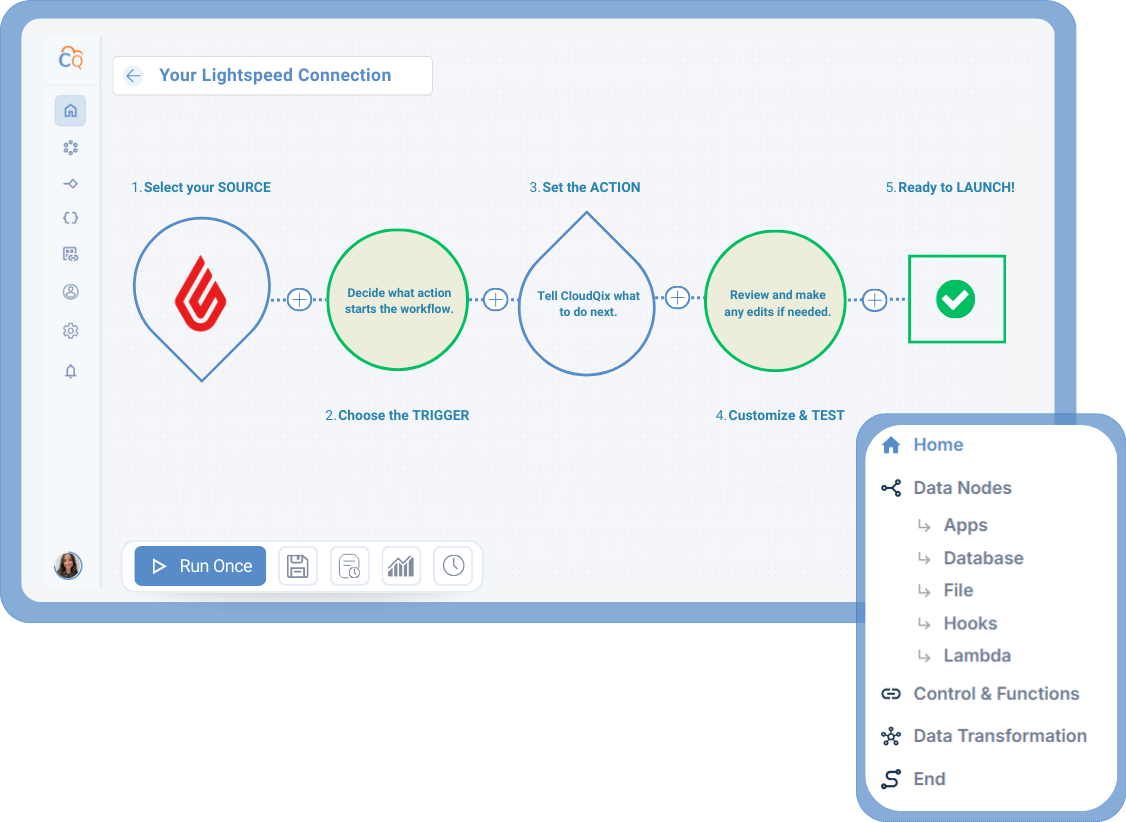
1. Connect Lightspeed
Securely link your Lightspeed
account to the CloudQix
platform.
2. Select a Trigger
Choose the event in
Lightspeed that will
start your workflow.
3. Choose an Action
Decide what should happen
in another app when the
trigger occurs.
4. Customize & Test
Adjust any settings, test the
workflow, and make sure that
data flows correctly.
5. Automate Workflows
Run your workflow automatically,
track performance, and update
anytime — no coding needed.
Supported Lightspeed Actions & Triggers
- List inventory records
- List outlets
- Get a single outlet
- List taxes
- List customers
- Create and update customers
- List registers
- Create or update a register sale
- List users
- List products
- Get a single product
- Get inventory data for a single product
- Create and update products
- Get information about this retailer
- List payment types
- Search for customer resources
- Search for product resources
- Get current user
- List sales
Connect Lightspeed to Any of These Apps











More Payment Processing Integrations
Here are other popular integrations used by teams working with Lightspeed:
Ready to Automate
Lightspeed Workflows?
Start your free trial today or book a live demo to see how CloudQix streamlines Lightspeed workflows.